
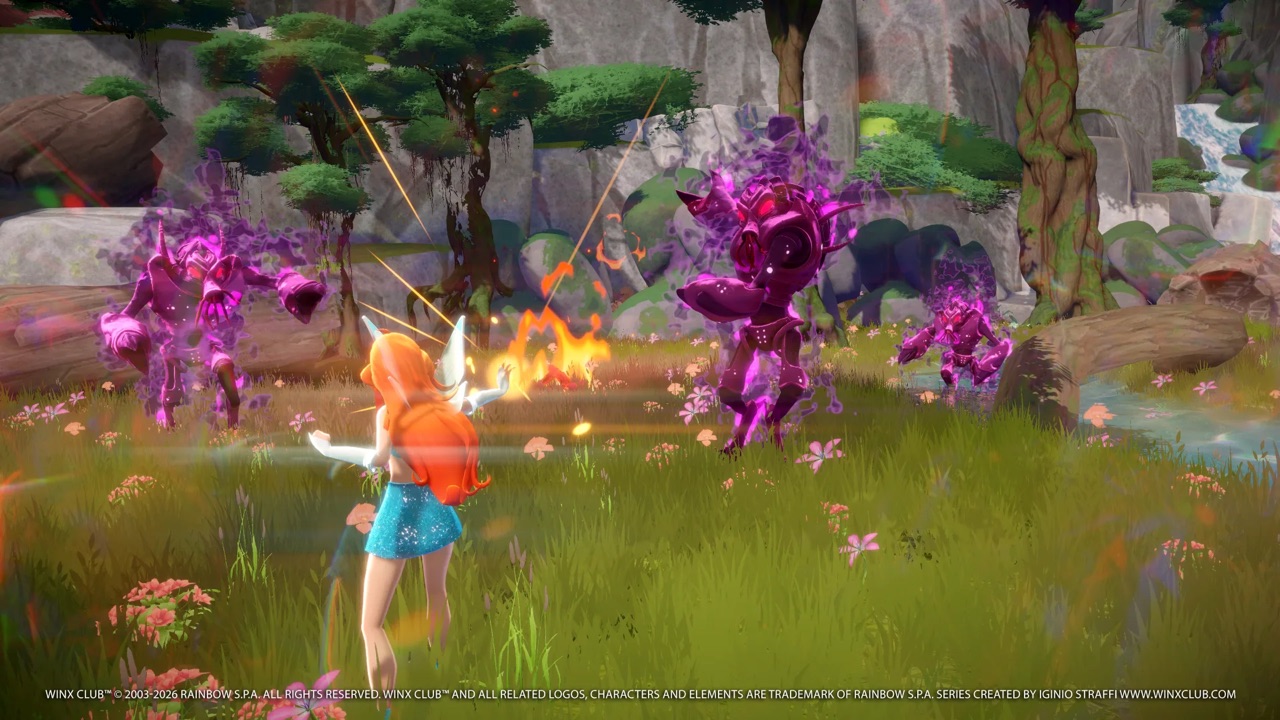
How to Start a Remote Play Together Session
Valve documents the invitation steps for Remote Play Together. Combined with Balio's description of the challenges, the process is simple. The host does most of the work. Here are the steps:
- The host launches the game through Steam and selects a local multiplayer challenge.
- From the Steam Friends List, the host sends a Remote Play Together invite.
- The guest accepts the invitation and joins the session.
- The host manages shared inputs and gamepad assignment in the Steam session.
What the Host Needs
The host must own the game on Steam and run it on Windows. Winx Club: Moonlight Quest is listed on Steam under app ID 5189950. The minimum requirements include 64-bit Windows 10, 8 GB of memory and a GeForce GTX 1060. The recommended setup lists 16 GB of memory and a GeForce RTX 2060.
Balio recommends a controller, and the listing shows full controller support. The host starts the session from their own copy. In-game lobby controls were still awaiting a launch-build check. Our Steam guide covers the PC listing.
What the Guest Needs
Under Valve's feature rules, a guest can join without buying a second copy. The guest accepts the invitation from the host. They then play in the host's local session over the internet. The host controls which inputs the guest can use.
Valve's Remote Play page explains the requirements for guests. Connection behaviour for this specific game was not tested before launch. A stable connection will help, as with any streamed session. We will add notes after testing.
Which Modes Work With Remote Play Together
Remote Play Together shares a local multiplayer session. In Moonlight Quest, the local multiplayer content is the split-screen challenges. Balio supports up to four players in those challenges. Use them for your Remote Play session.
The challenges belong to Magic Challenge mode, with 32 challenges across four modes. The modes are Adventure, Free Play, Fairy Tournament and Daily Challenge. You can also unlock up to 24 playable characters there. Our Magic Challenge guide covers each mode.
Can You Play the Story With Remote Play?
Balio describes Bloom's story as single-player. Remote Play Together joins guests to local multiplayer sessions. Since the story is not a multiplayer mode, it is not the intended use. Stick to the challenges for shared play.
The story mode co-op page explains how the story and challenges differ. The story begins at the Festival of the 100 Moons. Balio estimates about six hours for the main quest. Friends can still watch and chat while you play.
Steam Features That Confirm Support
The Steam feature list explicitly includes Remote Play Together. It also lists Single-player and Shared/Split Screen PvP. SteamDB's metadata tracks the Remote Play Together and split-screen PvP flags for app 5189950. Kuliz also reports Remote Play Together on Steam.
Kuliz distinguishes Steam's Remote Play from the console listings' local multiplayer. Console players get local split screen only. The Steam edition is the only listing in the research with Remote Play Together. That makes PC the platform for online play with friends.
Remote Play Together Versus Local Split Screen
Local split screen means everyone plays on one screen in the same room. Remote Play Together streams that same local session to friends online. Both use the same challenge content. The difference is only where the players are.
Nintendo lists one to four players on one system for Switch. The PS5 listing shows one to four players, and Xbox lists two to four. Our local multiplayer setup covers same-room play on every platform. Remote Play Together is the Steam-only option.
What Is Still Unverified
The steps above are Valve's documented invitation process. In-game lobby controls and connection behaviour were still awaiting a launch-build check. The exact-keyword YouTube search produced no corroborated setup video for this game. A video showing a guest joining a challenge was also unverified.
We will test the full flow after launch and add the results with a date. That will include the lobby, joining and controller assignment. If you test it first, tell us what you saw. Corrections are always handled first.
Tips for a Smooth Session
Before inviting anyone, launch the game and open the challenge you want to share. That way the guest joins straight into the right activity. Assign gamepads in the Steam session as Valve describes. Balio recommends a controller for this game on PC.
Keep the session to the four-player limit Balio gives for the challenges. Check the player limit shown for each challenge, since mode-by-mode limits were not verified. If something does not work, restart the session from the Friends List. We will add game-specific troubleshooting after launch.
Release and Getting the Game on Steam
SteamDB records the Steam unlock as November 29 at 23:00 UTC. That is 3 pm Pacific on November 29 and midnight in Belgium on November 30. Balio's announced release date is November 30, 2026. Our release date guide compares every store.
Steam had not shown a base-game price when we checked on November 27, 2026. The Bloom Cardix skin is free on Steam from November 30 to December 30. Only the host needs to own the game for Remote Play Together. See the price guide for other stores.
Frequently Asked Questions
Does Winx Club: Moonlight Quest support Remote Play Together?
Yes. The Steam product page lists Remote Play Together.
Does my friend need to own the game?
Under Valve's feature rules, a guest can join a Remote Play Together session without buying a second copy. The host must own it.
Can we play the story together online?
The story is single-player. Remote Play Together is for the local split-screen challenges, which support up to four players.
Is Remote Play Together available on consoles?
No. It is a Steam feature, and the console listings describe local multiplayer only.
How do I invite a friend?
Launch the game on Steam, open a local challenge, then send a Remote Play Together invite from the Steam Friends List.
How many people can join?
Balio supports up to four players in the split-screen challenges, so a Remote Play Together session follows that same local limit.
Who controls which buttons the guest can use?
The host. Valve documents that the host manages shared inputs and gamepad assignment in the Steam session.
Is there a video showing it working?
Not yet. The exact-keyword YouTube search found no corroborated setup video for this game, so this guide follows Valve's written instructions.
Official Videos
Sources and Further Reading
- Steam — Winx Club: Moonlight Quest (app 5189950)
- Valve — Steam Remote Play Together
- Balio Studio — English launch press release (PDF)
- Balio Studio — official press kit
- SteamDB — app 5189950 metadata
- Kuliz — release date, platforms, price and co-op report